How to Make Matching and Sorting Activities for K-2: 2026
TL;DR
Matching and sorting activities build foundational skills in math, ELA, and science for students in kindergarten through second grade. This guide walks you through every key term, the developmental progression from matching to multi-step sorting, and step-by-step instructions for creating hands-on, printable, and digital activities. You’ll also find a grade-by-grade breakdown of activity ideas aligned to Common Core standards, plus tips for saving hours of prep time each week.
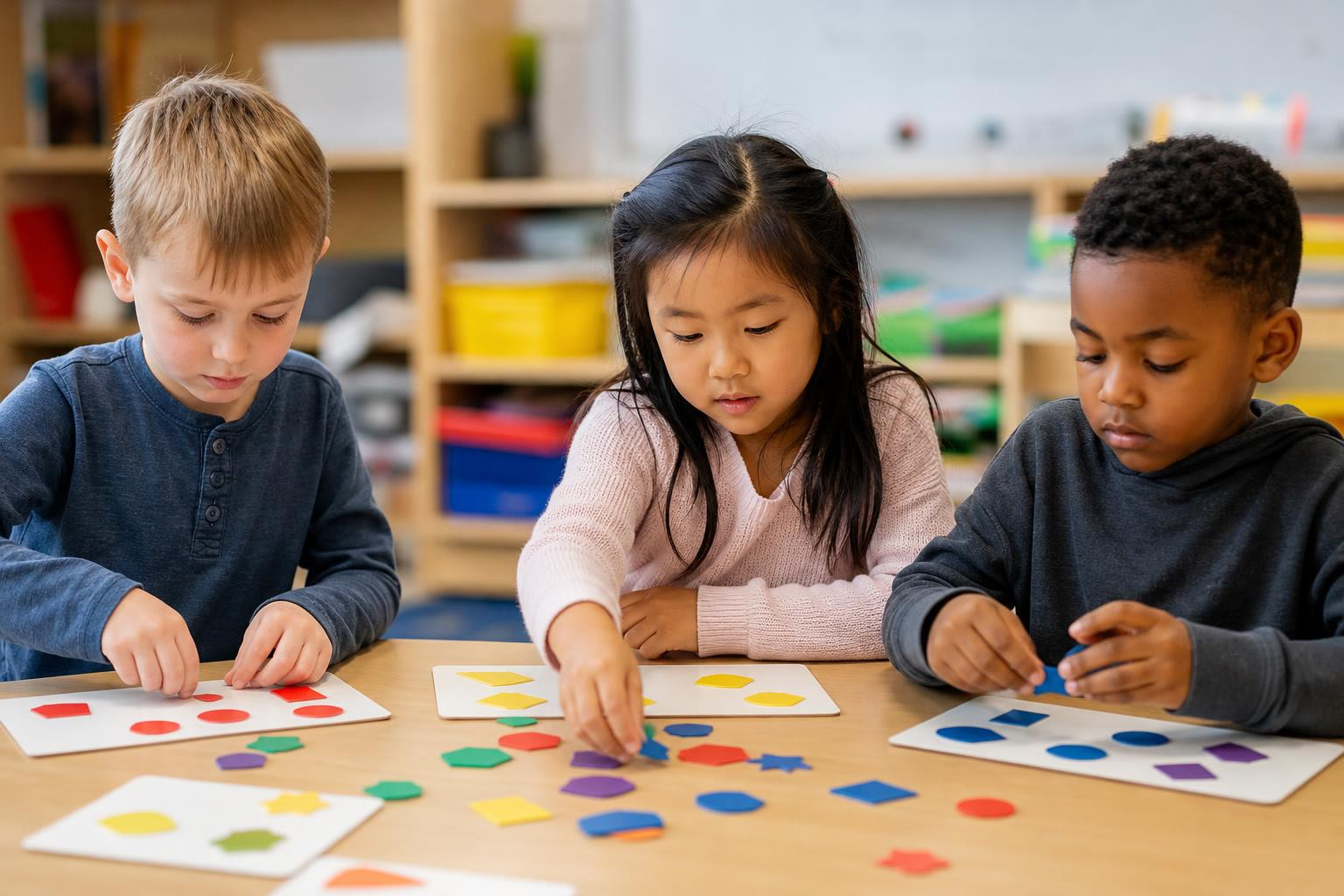
Sorting buttons by color. Matching pictures to beginning sounds. Grouping shapes by the number of sides. These simple activities carry enormous cognitive weight for young learners. They build classification skills, logical reasoning, data literacy, and phonemic awareness, all before students hit third grade.
Yet most teachers piece together matching and sorting activities from scattered Pinterest boards and free worksheet sites, spending far more time than necessary. Research suggests the average K-12 teacher spends 3 to 5 hours per week creating custom materials, and that number doubles when differentiating across multiple learning levels. Knowing how to make matching and sorting activities for K-2 efficiently, with clear standards alignment and proper scaffolding, can reclaim a big chunk of that time.
Generate sorting worksheets in minutes instead of hours with TeachTools’ AI worksheet generator.
This guide covers everything: definitions, developmental progression, Common Core alignment, step-by-step creation instructions, and grade-level activity ideas across math, ELA, and science.
Matching vs. Sorting: What’s the Difference?
These two skills are related but not identical, and the distinction matters when you’re designing activities.
Matching is selecting objects that share a common attribute, things that are “the same.” A student who pairs the numeral 5 with a group of five dots is matching. So is a student who connects a vocabulary word to its picture. Matching activities develop one-to-one correspondence and logical reasoning.
Sorting is grouping objects together by their attributes, looking at both similarities and differences. When a student drops red bears into one cup and blue bears into another, that’s sorting. The skill involves collecting data, classifying, and organizing information.
The key relationship: sorting is made up of smaller matching tasks. A child who sorts a pile of buttons by color is repeatedly matching each button to the correct group. That’s why matching comes first developmentally, and sorting builds on top of it.
Key Terms Every K-2 Teacher Should Know
Understanding the vocabulary of matching and sorting helps you design better activities and communicate clearly with colleagues and parents. Here are the terms that matter most.
Attribute (or Property)
An attribute is any characteristic, quality, or trait of an object that can be observed or measured. The most common attributes for sorting in K-2 are color, shape, size, texture (how it feels), and function (how or where the item is used). When you ask students to “sort by one attribute,” you’re asking them to pick a single characteristic and group objects around it.
Why it matters: Every sorting and matching activity rests on attributes. If students can’t identify and name attributes, they can’t sort with purpose.
Example: “These blocks are all square” (shape attribute). “These crayons are all broken” (condition attribute).
Classifying and Categorizing
Classifying is a step beyond basic sorting. It involves grouping objects by their similarities and differences using named categories. When students sort plastic animals into “farm animals” and “zoo animals,” they’re classifying.
Sorting and classifying activities come after matching in the developmental sequence. The skills overlap, but classifying tends to involve more abstract or conceptual categories rather than simple physical attributes.
Closed Sort
In a closed sort, the teacher provides the categories. Students receive a set of items (words, pictures, objects) and instructions about where to place each one. This is the right starting point for introducing new concepts because it reduces cognitive load.
Example: “Sort these words into the CH column or the SH column.”
Open Sort
An open sort flips the responsibility. Students receive items but decide for themselves how to categorize them and what labels to use. Open sorts build critical thinking and reveal how students understand relationships between concepts.
Example: Give students 15 picture cards and say, “Sort these any way that makes sense to you. Be ready to explain your sorting rule.”
One kindergarten teacher on a popular teaching blog writes that she starts by asking students to suggest how they think items can form groups, rather than just giving them a sorting rule. She scatters “beautiful junk” in the middle of the circle (buttons, feathers, plastic animals, cork) and lets students drive the conversation.
One-Step Sort vs. Multi-Step Sort
A one-step sort means grouping objects into categories based on a single attribute, then potentially re-sorting the same objects by a different attribute. A multi-step sort goes deeper: students sort into initial categories, then sort within those piles using a second attribute.
Example of multi-step: Sort shapes by color first (red pile, blue pile), then sort each color pile by number of sides.
This progression matters when you’re thinking about how to make matching and sorting activities for K-2 students at different readiness levels. Kindergartners typically work with one-step sorts, while second graders can handle two or three layers.
Word Sort
Word sorts focus on phonetic patterns, helping students identify and manipulate sounds within words. This hands-on approach supports phonemic awareness and makes decoding easier. The popular “Words Their Way” program has made word sorts a staple in K-2 ELA instruction.
One important caution from practitioners: word sorts work best when paired with explicit phonics instruction and dictation practice. If students can sort words by visual pattern without actually reading or writing them, the activity loses much of its value. Always combine word sorts with reading and writing practice for the deepest learning.
Picture Sort
Picture sorts are the gateway activity for pre-readers and early kindergartners. Students sort images by beginning sound, category, or visual attribute. In kindergarten, teachers typically start with letter and picture sorts, then progress to beginning sounds, medial sounds, ending sounds, and word families.
Sorting Mat
A physical or printed workspace with labeled columns or rows where students place sorted items. Many teachers laminate sorting mats for repeated use at centers. You can make these as simple as a piece of construction paper folded into columns with category headers written at the top.
Sorting Rule
The explicit criterion by which objects get grouped. “Sort by color” is a sorting rule. “Sort by number of legs” is another. When introducing a sorting rule, experienced teachers recommend displaying a poster or anchor chart and referring back to it throughout the lesson. For activities designed to build higher-order thinking, consider differentiation strategies that let students discover sorting rules on their own.
Venn Diagram Sort
A sort where two (or three) categories overlap, and students must identify items that belong in just one category versus items that share attributes of both. Venn diagram sorts are excellent for second graders working on compare-and-contrast skills.
Example: Sort animals into “lives on land,” “lives in water,” and “lives in both.”
The Developmental Progression of Sorting Skills
Children don’t jump straight into multi-attribute classification. Research from pediatric occupational therapists suggests sorting skills often develop in this order:
- Sorting by shape (easiest to perceive visually)
- Sorting by size (big vs. small)
- Sorting by color
- Sorting by function (things you eat, things you wear)
- Sorting by category (abstract groupings like “vehicles” or “emotions”)
Every child’s development is unique, so some of these skills may emerge in a different order. But this general progression is useful when you’re deciding where to pitch an activity. If a kindergartner struggles to sort by function, step back to a color sort before moving forward.
Sorting is also foundational to algebra. The ability to recognize patterns, group by rules, and identify attributes feeds directly into the algebraic thinking students will need in later grades.
Common Core Standards for Sorting and Matching in K-2
Standards alignment isn’t optional if you want your activities to count during instruction time. Here’s a quick reference.
Kindergarten
K.MD.3: Classify objects or people into given categories; count the numbers in each category and sort the categories by count. (Category counts limited to 10 or fewer.)
L.K.5A (Language/Vocabulary): Sort common objects into categories (e.g., shapes, foods) to gain a sense of the concepts the categories represent.
These two standards alone justify daily sorting practice in kindergarten, spanning both math and language arts.
Grade 1
1.MD.4: Organize, represent, and interpret data with up to three categories. This standard extends sorting into graphing, asking students to collect sorted data and display it.
1.G.1: Distinguish between defining attributes of shapes (e.g., triangles are closed and three-sided) versus non-defining attributes (e.g., color, orientation, size). Sorting is the primary method students use to explore this.
Grade 2
2.G.1: Recognize and draw shapes having specified attributes, such as a given number of angles or a given number of equal faces. Classify polygons up to six sides, sort two-dimensional and three-dimensional shapes, and compare vertices, edges, and faces.
ELA standards across all three grades also involve sorting: phonics word sorts (RF standards), vocabulary categorization (L standards), and grammar sorts like distinguishing nouns from verbs. If you need help building a full lesson plan around these standards, that’s a natural next step once your sorting activities are designed.
How to Make a Matching Activity for K-2: Step by Step
Matching activities are simpler to create than sorting activities, which makes them a good starting point.
Step 1: Pick a Specific Learning Objective
Anchor the activity to a single skill. “Match uppercase letters to lowercase letters” is specific. “Practice letters” is not. Think carefully about whether any items have multiple meanings or could be confusing. A picture of a “bat” could match to a baseball category or an animal category, so be deliberate about your image choices.
Step 2: Choose Your Format
Draw-a-line matching: Two columns on a page. Students draw lines between pairs. Best for quick practice or assessments.
Cut-and-paste matching: Students cut cards and glue them next to their match. More engaging and better for fine motor development.
Memory/concentration game: Pairs of cards placed face-down. Students flip two at a time looking for matches. Great for centers.
Digital matching: Drag-and-drop in Google Slides or interactive whiteboard software.
Step 3: Design the Content
For kindergarten, start with 4 to 6 pairs. For first and second grade, 8 to 12 pairs works well. Always include one “tricky” pair that requires careful thinking, this drives discussion and deeper processing.
Use a clean two-column layout for printed matching. Keep images large (at least 1.5 inches) for small hands. Use a consistent visual style so the design doesn’t distract from the learning.
Step 4: Build in Scaffolding
For students who need support, reduce the number of pairs or pre-sort items into partially completed groups. For advanced students, add distractors (items that don’t have a match) to increase the challenge. Sentence frames like “I matched _____ with _____ because _____” help students articulate their reasoning.
If you want to turn matching practice into a quick formative assessment, matching quizzes are an efficient way to check understanding.
Step 5: Print or Go Digital
Print-ready PDFs remain the most requested format among K-2 teachers. If you’re making reusable center materials, print on cardstock and laminate. For a paperless option, create a Google Slides template with movable text boxes and images.
How to Make a Sorting Activity for K-2: Step by Step
Explore 26 free AI tools for teachers
Browse All Tools →Sorting activities require a few more design decisions than matching, but the payoff in student thinking is worth it.
Step 1: Identify the Skill and Standard
Start with the standard. If you’re targeting K.MD.3, your activity should involve classifying objects into given categories and counting items in each category. If you’re targeting a phonics standard, your sort should focus on sound patterns. One standard per activity keeps things focused.
Step 2: Decide Between Hands-On, Printable, or Digital
Hands-on sorts use real objects: buttons, blocks, leaves, toy animals, coins, or snack items (goldfish crackers sorted by color are a perennial favorite). Pair these with sorting containers like muffin tins, paper plates, hula hoops on the floor, or labeled zip bags. Hands-on sorts are best for introducing new concepts because they’re concrete and engaging.
Cut-and-paste worksheets have students cut picture or word cards and glue them into labeled categories on a worksheet. Always model how to complete each sort first. Explain the categories, then review vocabulary words to make sure students understand the pictures before they start cutting.
Card sorts and pocket chart sorts are reusable. Laminate the cards, store them in baggies, and rotate them through centers for weeks. This approach is discussed in many time-saving strategies for elementary teachers.
Digital drag-and-drop sorts work well on interactive whiteboards or student tablets. Google Slides with movable pieces is the most accessible option for most classrooms.
Step 3: Design the Sort
Number of categories: Start with 2 categories for kindergarten. Move to 3 or 4 categories for grades 1 and 2. Sometimes it’s very overwhelming for students to see too many options, so narrow the scope early and expand as confidence builds.
Number of items: 6 to 12 items per sort for kindergarten, 12 to 20 for first and second grade.
Include an oddball: Add one item that doesn’t fit neatly into any category. This sparks conversation and critical thinking. “Where does this one go? Why doesn’t it fit?”
Label your categories clearly. Use both words and pictures for categories in kindergarten. By second grade, word-only labels are appropriate.
Step 4: Scaffold and Differentiate
For entering or emerging students, group “like” items together before starting so they can see the pattern. For more advanced students, mix up the items completely and include more categories.
Encourage children to sort the same set of items multiple ways. After a student finishes sorting, ask “How else could you sort these?” This question gets brains working on flexible thinking. One practitioner shared that she reads sorting-related picture books after the lesson rather than before, so students think of their own sorting criteria without the book giving away the answers. She loves hearing students say, “Oh, that’s the same way I sorted the buttons!”
Use sentence frames for verbal explanations: “I sorted these by _____ because _____.” For English language learners, matching and sorting activities provide hands-on opportunities to practice content and language simultaneously. Extension activities like writing summaries of how they sorted can provide additional valuable practice. For more on supporting ELL students, see this guide to teaching English language learners.
Step 5: Prepare Materials
For printed activities, create a clean PDF with a sorting mat on one page and cut-out cards on a second page. Use dotted lines around cards to guide cutting. For hands-on sorts, here’s a low-cost materials list:
- Buttons (mixed sizes, colors, and shapes), around $5 for a large bag
- Counting bears or linking cubes (most classrooms already have these)
- Muffin tins or egg cartons as sorting trays
- Index cards for labeling categories
- Zip-top bags for storage
- Contact paper or a laminator for durability
Grade-Level Activity Ideas: K, 1st, and 2nd
This is where no competing guide covers the full K-2 range. Here’s a breakdown by grade and subject area.
Kindergarten: Building the Foundation
Math: Sort counting bears by color, then count each group (K.MD.3). Sort pattern blocks by shape. Sort objects by size (big, medium, small). Match numerals 1-10 to groups of dots.
ELA: Picture sorts by beginning sound (all the /b/ pictures go together). Letter sorts (uppercase and lowercase matching). Rhyming picture sorts (cat, hat, bat in one group; dog, log, frog in another).
Cross-curricular: Living vs. nonliving picture sort. Healthy foods vs. unhealthy foods. Sort pictures into seasons.
Grade 1: Expanding the Challenge
Math: Sort 2D shapes by number of sides (1.G.1). Sort numbers into odd and even. Collect sorted data and create a bar graph (1.MD.4). Match addition facts to their sums.
ELA: Word sorts for CVC patterns (short a words vs. short i words). Digraph sorts (ch vs. sh). Vocabulary matching with word-to-picture cards.
Cross-curricular: Sort materials by state of matter (solid, liquid, gas). Classify animals by habitat. Sort books into fiction and nonfiction piles.
For additional first-grade math practice, try this free tens frames activity.
Grade 2: Deepening the Thinking
Math: Sort polygons by number of sides and angles (2.G.1). Place value sorts (ones, tens, hundreds). Skip-counting pattern sorts. Match analog clocks to digital times.
ELA: Long vowel pattern sorts (silent e vs. vowel teams). Prefix and suffix matching. Students pull word cards from a deck and sort them by vowel sound. Singular vs. plural noun sorts. Synonym and antonym matching pairs.
Cross-curricular: Sort natural features vs. human-made features. Classify materials as reduce, reuse, or recycle. Sort examples of Earth’s rotation vs. revolution.
For more second-grade math resources, explore place value practice worksheets.
Save Hours Every Week: Using AI to Create Sorting and Matching Activities
According to a 2024 Gallup survey, 60% of K-12 teachers used AI tools during the 2024-25 school year. That number will only grow, and sorting/matching activities are among the easiest materials to generate with AI.
Here’s why this matters. If you differentiate across three reading groups and two math levels, you might need five or six variations of the same sorting activity. Making each by hand takes 20 to 30 minutes. An AI worksheet generator can produce a standards-aligned sorting worksheet in under two minutes, with the right topic, grade level, and difficulty selected from simple form inputs.
TeachTools’ worksheet generator is built specifically for K-12 teachers. You select the subject, topic, grade level, and difficulty. The tool produces a print-ready PDF or Google Docs export. No prompt engineering required. It’s one of 23 specialized tools designed to cut prep time without sacrificing quality.
For teachers concerned about privacy when using AI tools, TeachTools is designed to be FERPA-supportive, with AES-256 encryption at rest and no training on user data. You can learn more about using AI safely in your classroom.
Tips for Making Activities That Actually Work
A few practical notes from teachers who use sorting and matching activities daily:
Model everything first. Even a simple two-column sort needs explicit modeling before you release students to work independently. Walk through two or three examples, thinking aloud about your sorting decisions.
Use consistent visuals. If your picture cards for a beginning-sounds sort use clipart in one style and photos in another, students may try to sort by visual style instead of by sound. Keep it uniform.
Make it social. Partner sorts, where two students work together and discuss placement decisions, generate far more language production than solo sorts. This is especially valuable for ELL students.
Store smart. Label zip-top bags with the standard and sort name. Keep center activities in a file crate organized by skill. Laminated card sorts last years if stored properly.
Assess through observation. Sorting activities are perfect for informal assessment. Walk around with a clipboard during center time and note which students sort accurately, which need prompting, and which are ready for more complex multi-step sorts.
Frequently Asked Questions
Is sorting the same as classifying?
They’re closely related but not identical. Sorting is the broader act of grouping objects by any attribute. Classifying is a more specific form of sorting where objects go into named, defined categories. In practice, K-2 standards use the terms almost interchangeably, but classifying implies a higher level of abstraction.
When should I use open sorts vs. closed sorts?
Use closed sorts when introducing a new concept. Students need clear categories to learn the sorting rule. Switch to open sorts once students are comfortable with the content. Open sorts reveal student thinking and push critical reasoning. A good progression: closed sort on Monday, guided sort on Wednesday, open sort on Friday.
How many categories should I use?
Two categories for kindergartners who are new to sorting. Three categories for mid-year kindergartners and first graders. Four categories for second graders or advanced students. Adding too many categories at once overwhelms young learners and muddies the learning objective.
What’s the best way to make sorting activities for mixed-ability classrooms?
Create a base sort that all students complete, then add layers. Emerging students sort by one attribute with pre-grouped “starter” items. On-level students sort independently. Advanced students re-sort by a second attribute or complete an open sort. This approach lets everyone engage with the same materials at different depths. For more on this approach, read about creating differentiated worksheets.
Are word sorts effective for phonics instruction?
Yes, but only when combined with explicit phonics teaching, reading, and writing practice. The biggest concern practitioners raise about word sorts is that students can sort by visual pattern without actually reading the words. Always pair sorting with dictation (students write the words) and connected reading to ensure transfer.
What materials do I need for hands-on sorting?
You don’t need anything expensive. Buttons, counting bears, blocks, plastic animals, leaves, coins, and even snack items work well. For sorting containers, use muffin tins, egg cartons, paper plates, plastic cups, or hula hoops on the floor. Laminated sorting mats made from cardstock are reusable and nearly free.
How do sorting activities connect to data and graphing?
Sorting is the first step of data analysis. Once students sort objects into categories, they count items in each group and represent those counts as bar graphs or pictographs. This progression is explicitly built into Common Core standard 1.MD.4, making sorting activities a natural on-ramp to graphing.
Can I use AI tools to make sorting and matching worksheets?
Absolutely. AI worksheet generators can produce customized sorting and matching activities in minutes. You specify the topic, grade level, and difficulty, and the tool generates a formatted, print-ready document. This is especially helpful when you need multiple differentiated versions of the same activity. Try TeachTools’ worksheet generator to see how it works, the free tier includes 5 generations per month with no credit card required.