Tools to Reduce Paperwork for Special Education Teachers
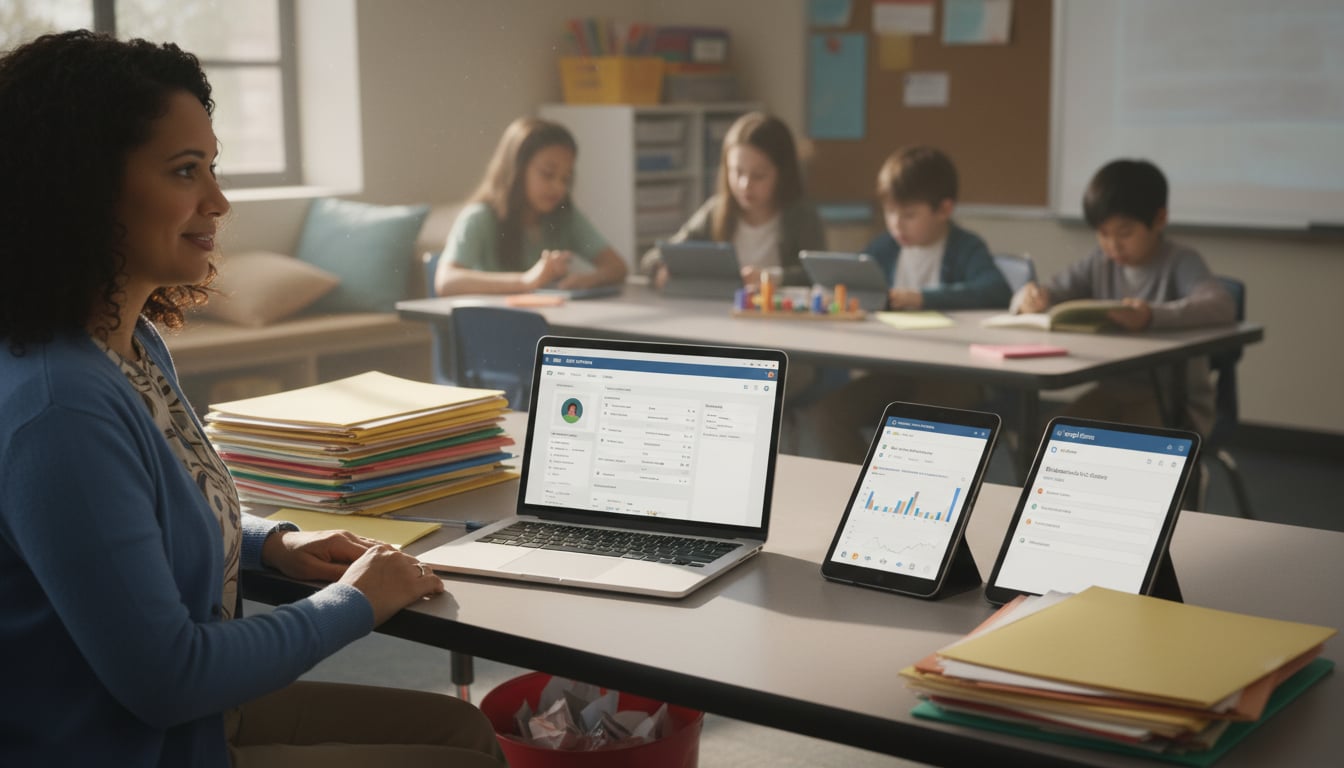
Special education teachers face a documentation burden unlike anything else in K through 12 education. Between Individualized Education Programs (IEPs), progress monitoring, Medicaid billing, compliance tracking, and parent communication, the paperwork can consume more hours than actual teaching. The good news: the right tools to reduce paperwork for special education teachers can claw back significant chunks of that time.
The most effective solutions include dedicated IEP software, electronic progress monitoring systems, AI powered documentation tools, and digital data collection methods like Google Forms and shared spreadsheets. With 85% of K through 12 teachers now using at least one digital tool daily, the shift away from paper based workflows is well underway.
This guide covers everything from simple spreadsheets to district wide management systems, including newer categories like AI automation for IEP documentation, Medicaid billing integration, and closed AI systems built for student data privacy.
If you need quick, print ready materials for your caseload, the Worksheet Generator can create differentiated worksheets in minutes, no formatting headaches required.
Foundational Tools for Data and Documentation
At the heart of special education is data. Tracking progress is not just good practice. It is a legal requirement under IDEA. These tools help gather, analyze, and organize student data without drowning in paper.
Continuous Data Collection Tools
A continuous data collection tool lets you gather student performance data on an ongoing basis (daily, weekly, or per session) instead of only during formal assessments. For special education, this is essential for monitoring IEP goals and behavior plans in real time. These tools range from simple digital tally charts to sophisticated apps that log student activity with timestamps and notes.
Collecting data continuously creates a feedback loop that informs instruction. 80% of teachers now use digital tools to track student progress, which means the shift from paper clipboards to tablets and phones is already mainstream. When data flows in steadily, it becomes possible to spot stalled progress and adjust strategies immediately rather than waiting for the next quarterly review.
Electronic Progress Monitoring Systems
An electronic progress monitoring system goes beyond raw data collection. It graphs data points over time, visualizes trends, and in many cases automatically flags when a student’s progress flatlines or regresses. Think of it as a supercharged digital gradebook designed specifically for IEP goals.
These systems are invaluable during IEP meetings. A well maintained data trail demonstrates exactly how a student is performing and justifies proposed changes to the program. Some platforms even generate draft progress reports, pulling data directly from the monitoring system into a formatted document. For guidance on writing the goals these systems track, see this guide to writing measurable IEP goals.
Google Forms and Shared Spreadsheets for IEP Tracking
Sometimes the most effective tools to reduce paperwork for special education teachers are the simplest. Many educators have replaced paper data sheets entirely with Google Forms and shared spreadsheets.
Here is how it works in practice:
- Google Forms for Data Collection: Create a custom form for each IEP goal. A paraprofessional or co teacher can input data from a classroom tablet in seconds, and all responses automatically compile into a single, timestamped spreadsheet. Practitioners on Reddit report that this method works particularly well for behavior tracking because the form can include dropdown menus for specific behaviors, reducing the time per entry to under 10 seconds.
- Shared Spreadsheets for Progress Tracking: A shared Google Sheet or Excel Online document serves as a central hub where all team members (teachers, therapists, aides) log progress. Everyone sees the latest data instantly. This eliminates the problem of notes being scattered across binders, sticky notes, and notebooks that never make it to the IEP meeting.
AI Automation for IEP Documentation
AI is changing how special education teachers handle their most time consuming paperwork. Rather than drafting every IEP narrative, progress report, and parent communication from scratch, AI tools can generate first drafts that teachers then review and customize.
How AI Speeds Up IEP Writing
The typical IEP document requires present levels of performance, measurable annual goals, accommodation descriptions, and service delivery details. Writing these sections for 15 to 30 students on a caseload is brutally repetitive. AI tools can take structured inputs (like a student’s current data, goal area, and disability category) and produce a well written draft in seconds.
One special education teacher shared in a YouTube walkthrough that switching to AI assisted IEP drafting cut their documentation time by roughly 40%, freeing up nearly a full day each week that went back to direct instruction. The key is that AI handles the boilerplate language and formatting while the teacher supplies the professional judgment and student specific details.
For creating supplementary materials quickly, the Lesson Plan Generator can produce standards aligned plans that pair with IEP goals, saving even more prep time.
Closed AI Systems for Student Data Privacy
Not all AI tools are appropriate for special education work. When IEP documentation involves personally identifiable information (PII), the AI system handling that data must meet strict privacy standards.
A closed AI system processes data within a controlled environment where student information is not sent to external servers, not used to train models, and not accessible to anyone outside the authorized team. This is distinct from general purpose AI tools like consumer ChatGPT, where data handling policies may not meet FERPA requirements.
When evaluating any AI tool for special education paperwork, look for:
- FERPA compliance with a signed Data Processing Agreement (DPA) available for districts
- AES 256 encryption at rest and TLS 1.3 in transit
- A clear policy stating user content is not used to train AI models
- No requirement to input student names or other direct identifiers
Practitioners in education forums frequently warn against using free consumer AI tools for anything involving student data. The risk is real: a single FERPA violation can trigger federal investigations and loss of funding. For a deeper look at evaluating edtech security, this secure edtech tools checklist covers the key questions to ask vendors.
Simplifying IEP Creation and Management
The IEP document is the cornerstone of every student’s special education program. These tools streamline the complex process of writing, managing, and maintaining compliance for these critical documents.
IEP Document Templates
An IEP document template is a pre formatted outline that walks you through every required section. Mandated by IDEA, an IEP must include specific components: present levels of performance, measurable annual goals, a description of services, and more. A good template ensures nothing gets missed.
While many states provide standard PDF or Word templates, dynamic digital templates go further. They auto populate student information, pull in data from monitoring systems, and flag incomplete sections before the document is finalized.
Dedicated IEP Software
IEP software is a specialized platform designed to create, manage, and store IEPs digitally. Unlike a static template, it includes workflow features and compliance checks. The software might alert you when a required field is blank, flag an upcoming annual review deadline, or track whether all team members have reviewed the document.
These platforms are typically cloud based, allowing multiple team members to collaborate on drafts securely. This is one of the most direct tools to reduce paperwork for special education teachers because it automates reminders, centralizes documentation, and creates an audit trail automatically.
Digital Signature Capture
One often overlooked bottleneck in the IEP process is collecting signatures. Parents need to sign consent forms for evaluations, approve IEP documents, and acknowledge meeting participation. When this happens on paper, it means printing, mailing or sending home documents, waiting for them to come back (often crumpled in a backpack), and then scanning or filing the signed copies.
Digital signature capture tools eliminate this cycle. Parents can review documents electronically and sign from a phone, tablet, or computer. The signed document is automatically stored in the student’s digital file with a timestamp. Several IEP platforms now include built in e signature functionality, but standalone tools like DocuSign or Adobe Sign can also integrate with existing workflows.
The compliance benefit matters too. Digital signatures create a clear, timestamped record that the district obtained required consent, which is exactly the kind of documentation auditors look for.
Special Education Management Systems
A special education management system is a comprehensive, district wide software solution. It includes all the features of IEP software plus the broader administrative functions of a special education department:
- Scheduling meetings and sending parent notifications
- Tracking service delivery (speech, occupational therapy, counseling sessions)
- Managing evaluation and reevaluation timelines
- Generating state and federal compliance reports automatically
- Maintaining audit trails for due process protections
By housing everything in one place, these systems drastically reduce clerical work and help ensure the district stays compliant.
Caseload Management Tools
Special education teachers often carry caseloads of 15 to 30 or more students, each with unique timelines for annual reviews, reevaluations, and progress reports. Caseload management tools (sometimes built into management systems, sometimes standalone) provide a dashboard view of every student’s critical dates, service minutes, and documentation status.
The value here is visibility. Instead of maintaining a spreadsheet or paper calendar of deadlines, teachers can see at a glance which IEPs are coming due, which progress reports need updating, and which students are behind on service minutes. Some tools send automated alerts weeks before deadlines, giving teachers enough runway to prepare without the last minute scramble that leads to errors.
For broader strategies on managing the daily demands of teaching, this guide on reducing teacher workload and burnout offers practical approaches that complement the tools discussed here.
Integrations That Connect the Whole System
Explore 26 free AI tools for teachers
Browse All Tools →Individual tools are useful. But when those tools talk to each other, the paperwork reduction compounds. Integration between systems eliminates duplicate data entry, reduces errors, and gives administrators a complete picture of special education services across the district.
SIS Integration (Student Information System)
A Student Information System (SIS) is the district’s master database of student records: demographics, enrollment, attendance, grades, and contact information. When IEP software or a special education management system integrates with the SIS, student data flows automatically between systems.
This means teachers do not need to re type a student’s name, date of birth, disability category, or parent contact information into their IEP platform. It also means that when a student transfers schools, their special education records travel with them in the system. According to the National Center for Education Statistics, districts that implement integrated data systems report significant reductions in reporting errors and duplicate records.
LMS Integration (Learning Management System)
A Learning Management System like Google Classroom or Canvas is where many teachers assign work, share resources, and communicate with students. When special education tools integrate with the LMS, several things become easier:
- Accommodations (extended time, modified assignments) can be applied directly within the LMS
- Progress data from completed assignments can feed into IEP monitoring systems
- Teachers can push differentiated content to specific students without creating separate workflows
This kind of integration is especially valuable for inclusion settings where special education students are working alongside general education peers. The LMS handles delivery while the special education platform tracks compliance and progress behind the scenes.
Online Assessment Tool Integration
Assessment data drives IEP decisions. When online assessment tools integrate with progress monitoring or IEP platforms, the data pipeline from “student takes a quiz” to “progress report is updated” becomes nearly automatic.
For example, a teacher might use an online quiz generator to create a quick formative assessment aligned to an IEP goal. If that tool exports results to a spreadsheet or connects to a monitoring platform, the data point is captured without any manual transcription. Over the course of a school year, eliminating manual data entry for even a few assessments per week adds up to dozens of hours saved.
For teachers looking to build better assessments, this guide on aligning assessments to learning objectives walks through the process step by step.
Medicaid Billing Integration
This is a big one that many teachers do not think about, but administrators certainly do. Schools can bill Medicaid for certain special education services (speech therapy, occupational therapy, counseling, nursing services) provided to eligible students. The catch: the documentation requirements are extensive. Every billable session needs a record of the service provided, the duration, the provider, and a link to the IEP goal being addressed.
Medicaid billing integration connects the service delivery tracking in a special education management system directly to the district’s billing platform. When a speech therapist logs a session, the system automatically generates a billing record with the required documentation. According to AASA (The School Superintendents Association), school districts recover billions in Medicaid revenue annually, but many leave money on the table because the documentation burden is too high for staff to maintain manually.
Integrated billing eliminates the double documentation problem where therapists log sessions in one system and billing staff re enter the information in another. It also reduces the audit risk that comes with inconsistent records.
Everyday Classroom Tools That Cut Paper
Beyond IEPs and compliance, special education teachers handle a mountain of daily administrative tasks. These digital tools help organize classrooms, plan lessons, and manage assessments with far less paper.
Digital File and Organization Systems
Moving from physical filing cabinets to cloud storage (Google Drive, Microsoft OneDrive) is a massive time saver. Lesson plans, student work samples, and IEP documents go into structured, searchable folders accessible from anywhere.
Digital organization tools like Google Calendar, Trello, or Notion can replace paper planners and sticky notes. Set reminders for IEP meeting dates, create shared task lists for classroom aides, and keep notes and resources in one place. These tools to reduce paperwork for special education teachers are essential for managing the complex logistics of the job.
Digital Lesson Plan Tools
Teachers spend an average of 7 to 10 hours per week on lesson planning alone. A digital lesson plan tool streamlines this with templates, standards databases, and guided prompts. Instead of writing everything from scratch, teachers can quickly create, edit, and share well formatted plans.
AI powered tools take this further. The Lesson Plan Generator from TeachTools can produce a complete, standards aligned lesson plan in minutes. By automating the initial draft, these tools free up hours for direct student instruction. For more time saving strategies across the school day, see this guide on reducing time spent on classroom materials prep.
Online Assessment Tools
Online assessment tools let teachers create, distribute, and grade quizzes digitally. The biggest benefits are immediate feedback for students and automatic grading for teachers. Instead of spending hours grading by hand, results and analytics appear instantly, showing which concepts the class struggled with.
These tools also make accommodations straightforward: extended time, text to speech, and enlarged text can all be configured per student. For low prep engagement or vocabulary review, a printable Bingo generator turns word lists into quick games that reinforce skills without extra grading.
Advanced Technology for Individualized Instruction
The whole point of reducing paperwork is to create more time for effective, individualized teaching. These platforms use technology to tailor the learning experience to each student.
Personalized Learning Platforms
A personalized learning platform adapts to each student’s unique needs using ongoing assessments and AI. These platforms adjust content difficulty, recommend specific practice activities, and present information in the format that works best for each learner. Research from the RAND Corporation found that students in personalized learning programs made greater gains in math and reading compared to peers in traditional settings.
For special education, the appeal is obvious. Students working on IEP goals often need instruction at levels and paces that differ from the rest of the class. A personalized platform handles that differentiation automatically, reducing the teacher’s planning load. For more strategies on differentiation, this guide to differentiation for teachers covers both low tech and high tech approaches.
Real Time Feedback Loops
A real time feedback loop shares information on a student’s IEP progress almost immediately. Technology makes this practical at scale. A teacher might use a secure app to send a parent a quick note when their child meets a daily behavior goal. Or a therapist might log a session note that the classroom teacher can see within minutes.
With 60% of teachers using technology to provide more immediate feedback, this approach is becoming standard rather than aspirational. Continuous communication keeps everyone informed and engaged, and it creates the documentation trail that compliance requires.
Choosing the Right Tools
The digital tools available today offer real opportunities to streamline special education work, improve compliance, and dedicate more energy to students. The table below summarizes the major categories and what to look for.
| Tool Category | Primary Benefit | Key Feature to Look For |
|---|---|---|
| IEP Software | Streamlined document creation | Compliance checks and deadline alerts |
| Progress Monitoring | Visual data tracking | Automatic graphing and regression alerts |
| AI Documentation | Faster first drafts | Closed system with FERPA compliance |
| Caseload Management | Deadline visibility | Dashboard with automated reminders |
| SIS Integration | Eliminates duplicate entry | Two way data sync |
| LMS Integration | Seamless accommodations | Per student settings within assignments |
| Medicaid Billing | Revenue recovery | Auto generated billing records from session logs |
| Digital Signatures | Faster consent collection | Timestamped audit trail |
Whether starting small with a shared spreadsheet or adopting a comprehensive platform, the key is finding solutions that fit the workflow and protect student privacy.
TeachTools offers a suite of 23 AI powered generators designed to be simple and FERPA supportive, with AES 256 encryption and a policy of never training on user data. It is a solid starting point for teachers who want to reduce prep time without compromising on privacy.
Frequently Asked Questions
What are the best free tools to reduce paperwork for special education teachers?
Google Forms for data collection, Google Sheets for progress tracking, and Google Calendar for scheduling are all free and effective. The free tier of TeachTools provides 5 monthly generations for lesson plans, quizzes, worksheets, and more, plus a library of ready to use printables.
How can technology help with IEP compliance?
IEP software and special education management systems track deadlines for annual reviews, send automated reminders, ensure all required sections are completed, and generate reports proving services were delivered as documented. Digital signature capture adds timestamped consent records that hold up during audits.
Are AI tools safe to use for special education paperwork?
It depends entirely on the tool. Choose an AI platform that is FERPA compliant, uses strong encryption, and has a clear policy of not using content to train models. A reputable tool will never require personally identifiable student information. For a detailed evaluation framework, see this FAQ about using AI tools without exposing student PII.
What is the fastest way to track IEP goal progress digitally?
Google Forms connected to a Google Sheet remains one of the fastest methods. Team members input data in seconds from any device, and it populates a central spreadsheet automatically. Electronic progress monitoring systems offer more advanced features like graphing but come with a steeper learning curve.
How does Medicaid billing integration reduce paperwork?
When a therapist logs a session in the special education management system, integrated billing software automatically generates the documentation Medicaid requires (service type, duration, provider, related IEP goal). This eliminates the double entry that happens when service logs and billing records live in separate systems.
What should I look for in a closed AI system for student data?
Look for FERPA compliance backed by a Data Processing Agreement, AES 256 encryption at rest, TLS 1.3 encryption in transit, a written policy that user data is not used for model training, and architecture that processes data without sending it to uncontrolled third party servers. Verify these claims before entering any student related information.
How do I get started with digital tools in my special education classroom?
Start small. Pick the area that creates the most paperwork, like daily data collection. Replace your paper system with a Google Form or shared spreadsheet for one week. Once comfortable, explore other tools to reduce paperwork for special education teachers such as a digital lesson planner, an online assessment tool, or AI assisted IEP drafting. The compound effect of layering these tools over time is where the real time savings show up.